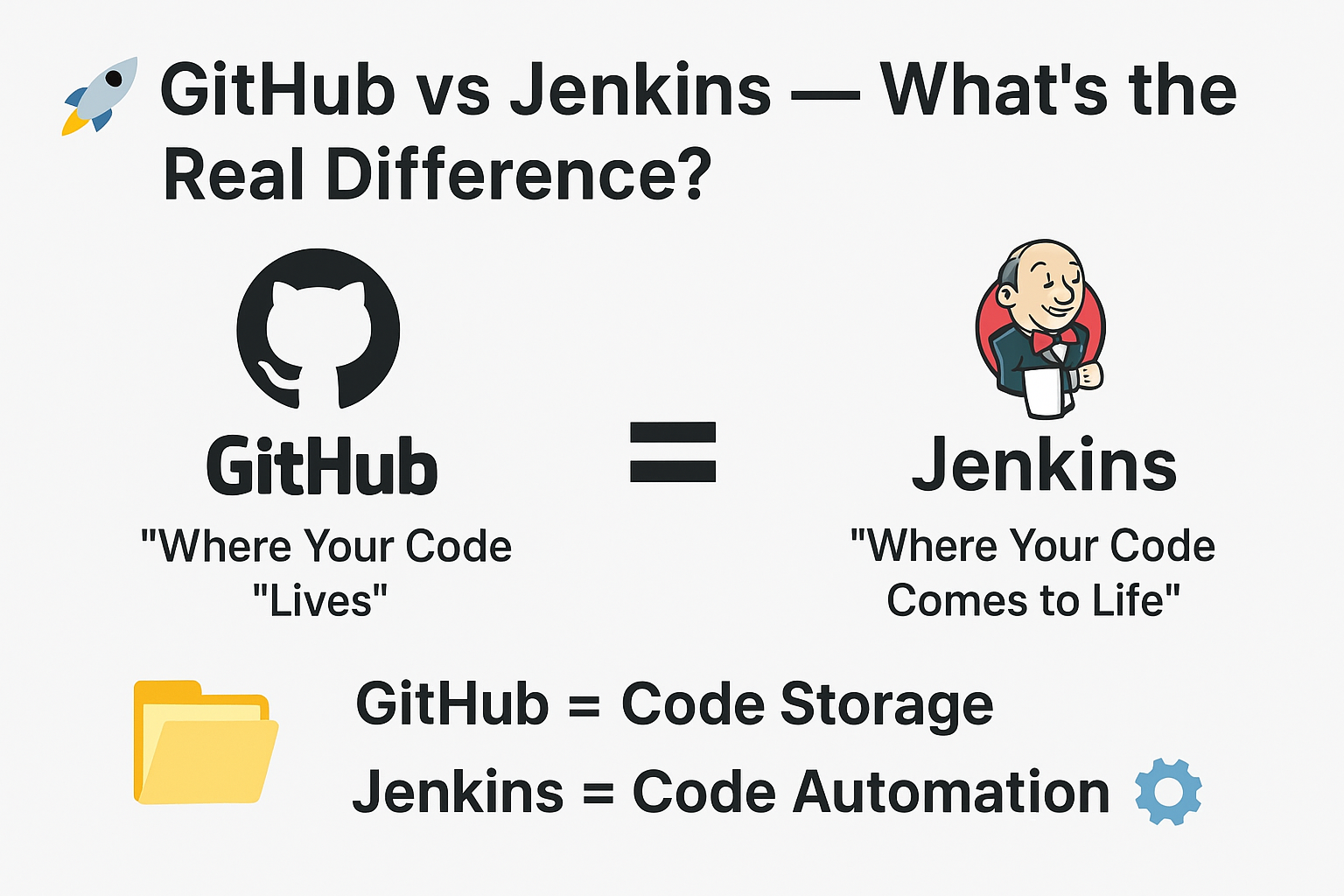
Github Vs Jenkins :-> When I first started my DevOps journey, I constantly asked myself one question:
“If I can deploy a website directly from GitHub, why do I even need Jenkins?”
At that time, both platforms felt similar. Both connected to code. Both seemed to help with deployment. And both were used heavily by developers.
So naturally, it all looked like the same thing wearing two different T-shirts.
But later, after breaking a few pipelines and digging deeper, I finally understood the real difference — and trust me, it changed the way I looked at DevOps forever.
In this blog, I’ll break down GitHub vs Jenkins in the simplest and clearest way possible. Whether you’re a beginner or brushing up your concepts, this guide will help you understand what each tool actually does, why teams use both, and how they work together inside a real DevOps pipeline.
💻 GitHub — Where Your Code Lives
GitHub is basically your project’s home.
It’s where developers store, share, track, and collaborate on code.
🔑 Key things GitHub does really well:
1. Version Control
GitHub is built on top of Git.
Every commit, branch, merge, and rollback is tracked with complete history.
2. Collaboration
Developers contribute using pull requests, comments, and reviews — and GitHub makes it incredibly simple.
3. Hosting for Static Websites
Using GitHub Pages, you can deploy basic websites like:
- HTML/CSS portfolios
- Documentation sites
- JavaScript static apps
But here’s the important part:
GitHub does not build, test, or deploy complex applications on its own.
It can host files, but it doesn’t execute runtime builds, compile code, run test suites, or handle advanced deployments.
4. Code Backup & Cloud Storage
GitHub keeps your repos safe, accessible, and shareable anywhere.
5. Basic Automation (GitHub Actions)
GitHub now offers CI/CD via GitHub Actions, but traditionally, GitHub itself wasn’t a CI/CD tool.
Even today, many organizations still prefer dedicated CI tools like Jenkins due to:
- full customization
- plugin ecosystem
- integration flexibility
- self-hosting control
⚙️ Jenkins — Where Your Code Comes to Life
If GitHub is a garage where your code “sleeps,” Jenkins is the factory where your code gets built, tested, packaged, deployed, and even monitored.
Jenkins is your automation engine — your DevOps assistant working 24/7.
🔧 What Jenkins does:
1. Pulls your code from GitHub
The moment you push a new commit, Jenkins gets triggered.
2. Builds your application
It compiles your app using:
- Maven / Gradle for Java
- npm for JavaScript apps
- Pip for Python
- Go build for Go apps
- Docker build for container images
3. Runs automated tests
Unit tests
Integration tests
Security scans
API tests
Linting & formatting checks
Jenkins ensures your code is clean before it goes anywhere.
4. Deploys your app automatically
Jenkins can deploy your application to:
- AWS EC2
- Docker containers
- Kubernetes clusters
- On-prem servers
- Cloud services
- Hybrid environments
This is the heart of DevOps — continuous deployment.
5. Alerts you when something fails
If tests fail or builds break, Jenkins sends:
- Slack notifications
- Email alerts
- Teams messages
This keeps the team informed instantly.
💡 In Simple Words
GitHub = Code Storage 🗂️
GitHub keeps your code safe, organized, and version-controlled.
Jenkins = Code Automation ⚙️
Jenkins takes your code and transforms it into a fully built, tested, and deployed application.
🤝 Why GitHub and Jenkins Work Best Together
Think of a DevOps pipeline like a relay race:
- GitHub holds the baton (the code).
- Jenkins runs with it to the finish line (deployment).
Most real-world CI/CD pipelines look like this:
- Developer writes code
- Code is pushed to GitHub repository
- GitHub triggers Jenkins
- Jenkins fetches the code
- Jenkins builds & tests it
- Jenkins deploys it
- Jenkins reports the final status
Both tools have separate identities — but together, they form a complete DevOps ecosystem.
🧠 Why This Matters in DevOps
Understanding the difference between GitHub and Jenkins improves how you design and build pipelines.
It helps you understand:
- Where your code should live
- Where automation should happen
- How CI/CD flows work inside a company
- How teams collaborate efficiently
- How deployment becomes repeatable and reliable
As a beginner, it’s normal to think these tools overlap.
But once you understand their roles, everything becomes clearer.
🟩 Final Thoughts
GitHub and Jenkins aren’t competitors — they’re partners.
- GitHub provides the code.
- Jenkins automates everything that must happen after the code is written.
And that’s the secret:
GitHub manages your source, while Jenkins manages your entire software lifecycle.
If you’re learning DevOps, this is one of the most important concepts to master — and once you do, the rest of CI/CD pipelines start making perfect sense. 🚀
3 thoughts on “🚀 GitHub vs Jenkins — What’s the Real Difference?”
Comments are closed.